HMI
Local operation of a machine or equipment
- Panel at the machine
- Operation and setpoints
- Messages
- Local diagnostics
 Wladimir PoljakovIndustrial Automation Specialist
HMI / SCADA · industrial automation
The operator should understand the state of the installation within seconds.
I develop HMI and SCADA for industrial equipment: operation, machine states, alarms, trends, archives, recipes and diagnostics — from local panels to IPC/SCADA systems.
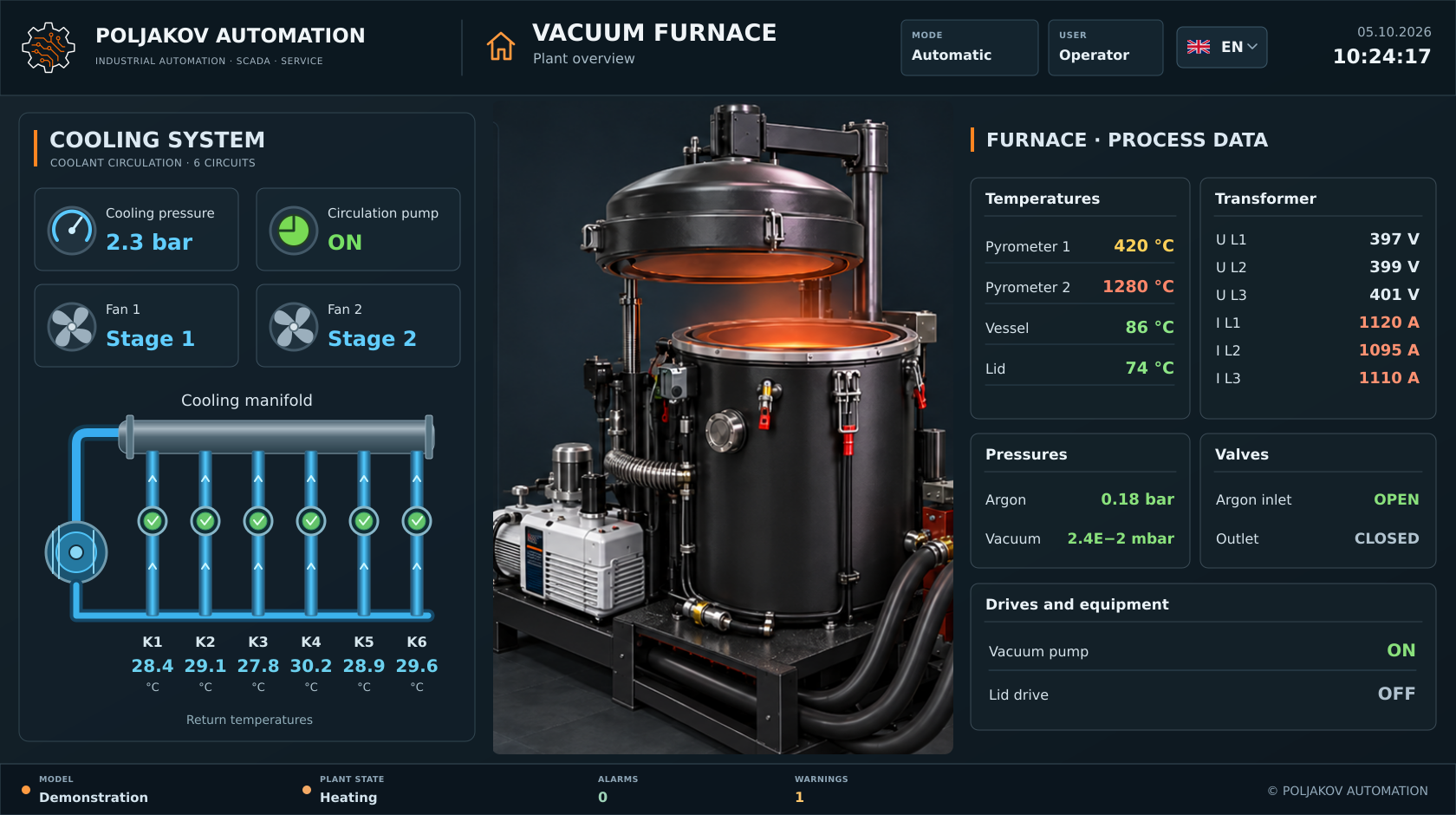
Industrial cockpit
The PLC controls the installation. HMI and SCADA show the operator what is happening. A good interface combines process, data, states, alarms and history into a clear working picture.
Visualization is useful only when the operator can quickly understand what the machine is doing, which mode is active, why something will not start, where a fault is located and which value is outside its normal range. Good design alone is not enough — the interface must follow the real technological sequence.
Schematic example
This is not a customer interface. It is a neutral schematic comparison of overloaded information versus clear hierarchy.
Too many elements with equal visual weight and little indication of what matters most.
Clear hierarchy: state, key values, alarms and actions are where the operator expects them.
HMI / SCADA · INTERACTIVE
Explore a demonstration dosing and mixing line. Change screens, start a cycle and see how operating modes, alarms and process values work together.
Interactive example · all values and events are simulated in your browser.
Enable JavaScript to use the interactive demo. It includes a plant overview, operation, alarms, trends and settings.
The boundary is not always technically strict. For the customer, the important question is the scale of the installation and what the interface needs to do.
Local operation of a machine or equipment
Monitoring and operation of a larger system
Visualization works together with the control software. A single process value shows how real data reaches the operator.
Measures a value in the installation
Processes the signal, states and limits
Displays the state, stores history and creates messages
Understands the situation and decides
“ERROR 17” tells the operator very little. Useful diagnostics can show the device, area, missing condition, timestamp and current state — when those data are available in the project.
Schematic example
Trends and archives can help analyse process history, detect deviations, correlate events in time and verify the effect of changes after diagnostics.
Schematic example
Siemens is a strong practical competence. Architecture and functions are selected per project; other SCADA platforms are considered according to the technical situation.
From machine panels to PC-/IPC-based visualization.
PLC connection, rights, alarm management, archives, recipes and diagnostics within the agreed project scope.
Project in Izhevsk
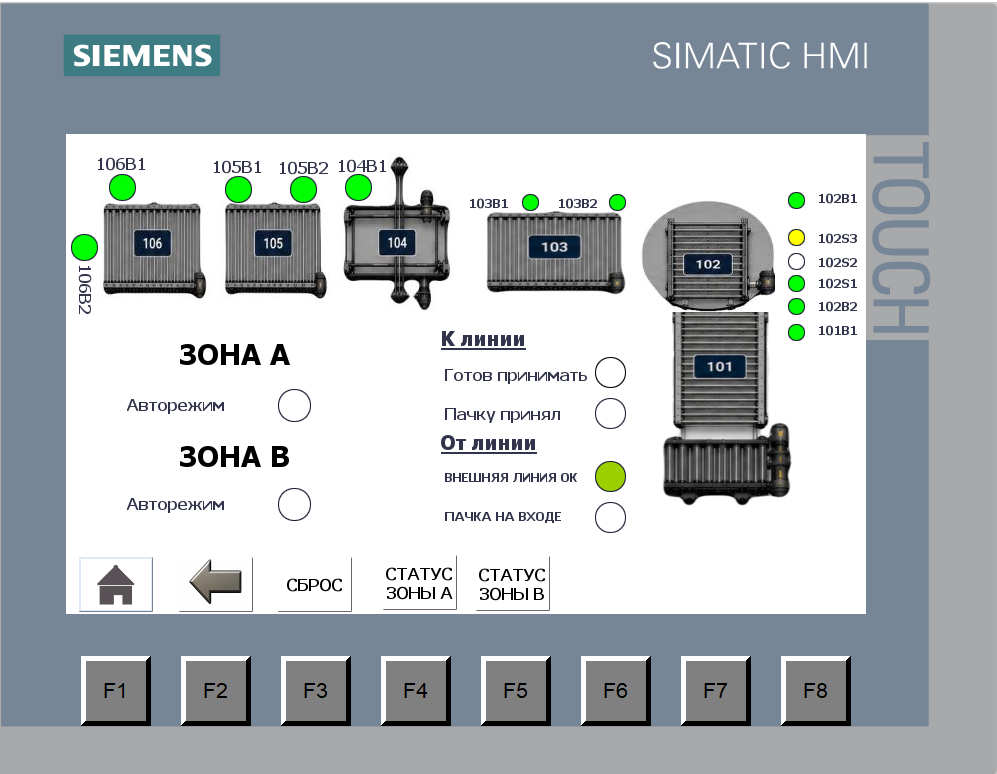
An overview for transporting and packaging particleboard bundles: mechanisms, zones A/B, readiness signals and transfers between sections. Operators can understand the line and identify where the process has stopped.
A real project involving an existing visualization, Siemens S7-414 and OPC communication.
Case 002 →Clear at a glance
Operators should not need to remember addresses, bits or internal PLC logic. They need to see the state, understand the cause and find the next action.
Operating mode, status and key values in one clear context.
Messages identify the equipment and the condition that needs attention.
The relevant command or setting is close to the task.
Good visualization depends on clear states and structured data in the PLC. In complete projects, PLC and HMI are therefore designed as one system.
Good visualization depends on clear states and structured data in the PLC. In complete projects, PLC and HMI are therefore designed as one system.
PLC programming →Instead of only “motor not running”, an interface may show the start request, missing permissive, drive fault or missing feedback — if that diagnostic information is designed into the project.
Fault diagnostics →I work with Siemens Basic, Comfort and Unified Panels, WinCC Runtime and IPC/SCADA solutions. Other platforms are assessed on a project basis.
HMI is often used for local machine operation; SCADA more often provides central overview, archives, events and multiple plant sections. The actual boundary depends on the architecture.
Yes. Existing functions, tags, messages, screens and PLC communication are analysed first. Then we decide what should be migrated, improved or replaced.
A good HMI/SCADA integration needs clearly defined PLC states and signals. In complete projects, PLC and visualization are therefore designed together.
HMI / SCADA
Send a brief description of the equipment, PLC, number of screens or existing visualization. I will review the task and propose a suitable interface structure.